How to Remove Stickers and Label Residue in Cozy Game Restoration
Heat first, then tweezers: how big stickers differ from price tags, why the residue underneath needs solvent, and what to do when a sticker sticks to the desk.
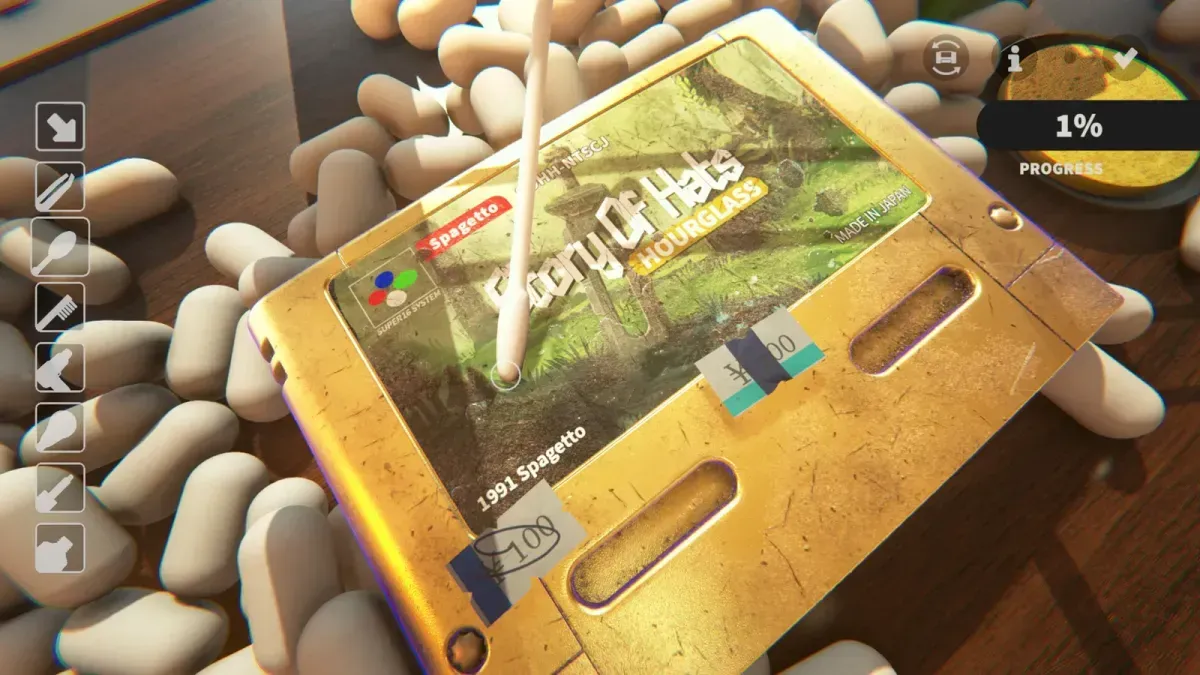
What is the correct way to remove a sticker?
Heat it, lift a corner, and pull with the tweezers. The heat gun softens the adhesive so the sticker releases in one piece; the tweezers do the pulling; no other tool in the bar does this job.
The mistake is going straight to the tweezers. A cold sticker holds on hard enough that the paper tears before the adhesive gives, and a torn sticker leaves a patch of paper behind that has to be dealt with separately.
Does the heat gun actually change anything?
Yes, and it is the difference between a peel and a fight. The gun warms the adhesive under the sticker, which is why the same sticker that felt glued down comes away cleanly after a few seconds of heat.
One thing to know about the gun itself: it is a held tool. A quick tap is not a pass; the game checks for sustained use, and the tutorial in particular only counts a full five-second pass. That is the same rule when you are drying solvent, so the gun rewards counting rather than waving — see heat gun step not completing if an objective will not tick.
If a sticker still will not move after heat, the corner you are lifting may be the wrong one. Try an edge that already sits proud of the shell rather than a corner pressed into a groove.
Why are some stickers so much harder than others?
Size. A small price tag lifts with a corner pull and a short tug. A large character sticker needs a longer edge lifted before it releases, and it comes up in stages — part of it peels, then it hangs, then you work from the loose section into the rest.
The practical advice for the big ones: lift the whole first edge before pulling, and expect the sticker to flop while you reposition. Pulling hard from a single point on a big sticker is how you tear it.
What is the white residue underneath?
Adhesive. Every sticker leaves some, and it is its own layer — the sticker bar will sit short of full while a smear of glue is still on the label. Dust tools do not remove it and more heat does not remove it.
The sequence that works:
- Apply solvent to the residue.
- Work it with the swab until the glue lifts into the cotton.
- Dry the area with the heat gun, held for a full pass.
- Check with the UV torch — adhesive residue glows like ink does.
Skipping the drying step is the common failure. Wet solvent reads as unfinished surface, and the layer stays short until it is dried off.
There was one exception worth knowing, because it wasted a lot of time in the first week: on disc cartridges the adhesive sometimes failed to spawn at all. You peeled the sticker, the label was spotless, and the bar still sat short with nothing to clean. That was a bug rather than a missed step, and Patch 1 fixed it on 6 November — adhesive not spawning on discs has the check for a cart that still behaves that way.
Where do the peeled stickers go?
Into the bin. The little bin beside the desk — the patch notes call it the Bin-osaur — takes stickers and peanut waste, and it reacts when something goes in. On mouse and keyboard this is a short drag; on a controller it is the step that goes wrong, and the sticker ends up on the table instead.
If a sticker ends up stuck to the desk instead of the bin, pick it up again with the tweezers and drop it in. A sticker lying on the desk is not a cleaning problem, but it is one more object between your camera and the cartridge — the same reason the peanuts should go in early, which is covered on packing peanuts and the bin.
Do stickers damage the label?
No. Stickers are a layer, not a condition penalty, and a label with a peeled sticker grades the same as one that never had a sticker once the residue is gone. What the label does carry is its own artwork — and the artwork is a collection variable, which is why two copies of the same title are not interchangeable.
That matters for what you keep. Sticker art and region both vary per copy, so a duplicate title can still be a distinct collection entry: cartridge collection lists what varies. If the residue is proving stubborn, ink and adhesive goes deeper on solvent work, and damage types puts stickers in the full layer order.
Related Articles
guides
Autocomplete Not Working at 99 Percent in Cozy Game Restoration
Autocomplete fires only when every layer passes 99 percent, so one bar at 98 keeps the cartridge open. How to find the layer that is holding it back.
guides
Adhesive Not Spawning on Discs: Cozy Game Restoration Bug
Disc cartridges could refuse to spawn sticker adhesive, leaving the ink bar unfillable. Fixed in Patch 1 and live again since 7 November.
guides
Packing Peanuts and the Bin in Cozy Game Restoration
The bin eats peanuts and stickers, peanuts are worth a little money, and the tweezers keep grabbing them by accident. What the desk clutter is for.
Was this helpful?
Thanks for the feedback!