Rarity Tiers and Tomorrow's Rarity Forecast in Cozy Game Restoration
Five tiers from Regular to Legendary, a next-day forecast you can push upward, and the shelf layout rules that decide what arrives in tomorrow's parcels.
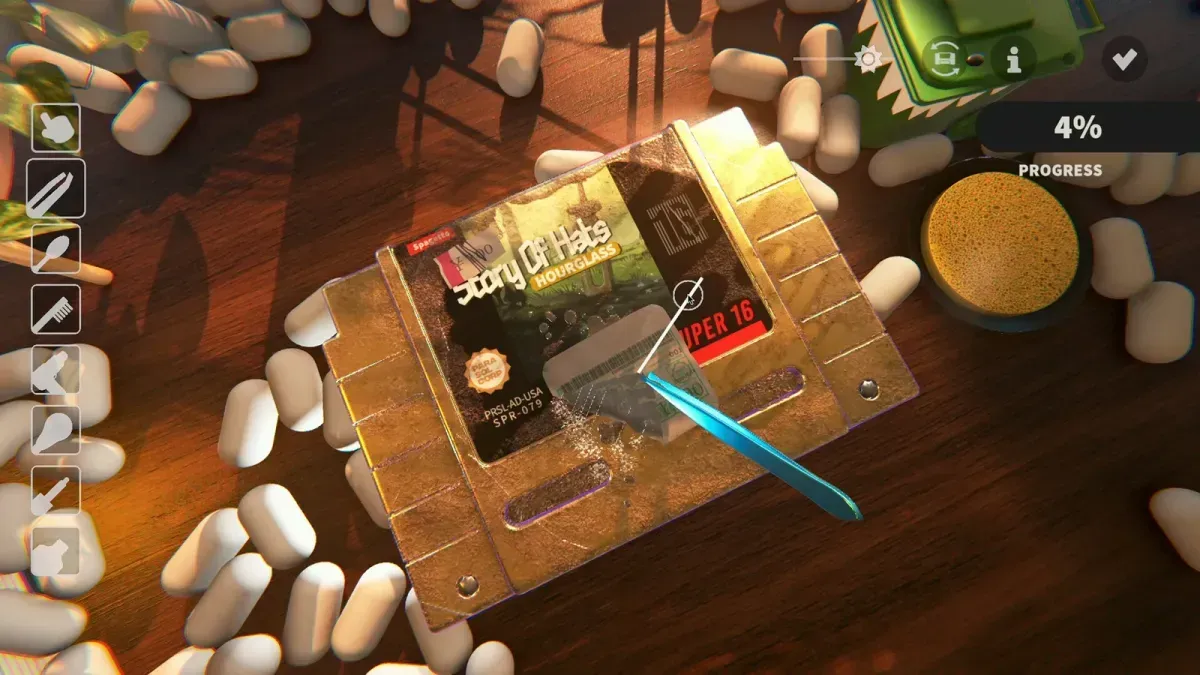
What are the rarity tiers?
Five, in ascending order: Regular, Uncommon, Rare, Epic, Legendary. The game tags them in colour on the cartridge and repeats the tier on the results screen, and the delivery forecast lists odds for each tier by name.
The tiers are not just collectible labels. Higher tiers carry stronger traits, and traits are the raw material of the shelf bonuses that make your tools faster and wider — which is why a Legendary is worth more than its sale price.
When is rarity decided?
When the parcel opens. The box on the desk tells you platform and genre; it does not tell you the tier, and there is no way to inspect a parcel into revealing one.
That is why the forecast is framed per delivery rather than per title: the game is rolling against a tier distribution, not assigning fixed rarities to the 108 titles. The catalogue is a list of games; the rarity is a property of the copy in your hand.
What is the Tomorrow’s Rarity forecast?
A panel that shows the odds for the next day’s parcels, tier by tier, as percentages. It sits with the room systems and it changes as you change the room.
Read it as a plan, not a horoscope: it tells you what the shelf is currently steering toward, and the numbers move when you shelve, unshelve or add space. The room’s other readouts — capacity, cleaning power, surface area, per-platform price bonuses — are on the same panel and are covered on collection room.
How do I raise the odds of a rarer cart?
Three levers, all of them shelf decisions.
- Put similar rarities next to each other. The rule is explicit: connecting similarly rare games side by side boosts rarity, and that bonus is applied to the following day’s deliveries rather than today’s.
- Shelve the best tier you have, not the cleanest cart. Cleaning quality is not the input here; tier is, so a rough finish on a Legendary still counts for more than a perfect Regular.
- Add shelf space. More slots means more adjacency pairs, which is why the shelf upgrade is a rarity upgrade in disguise.
One more detail from the same explanation: an Uncommon contributes more rarity score than a Regular, so if you have to choose which of two carts to display, display the higher tier even if its traits look less useful.
Does genre still matter?
Yes, and it competes with rarity for shelf space. Genre stacks drive the tool bonuses — cleaning power, surface area, dirt capacity — and platform coverage drives the price bonuses. Rarity affects both the tier of future deliveries and the strength of each cart’s traits.
The tension is real, and the game does not publish a formula that settles it. The usual compromise: one or two genre stacks for the tools you use most, and the rest of the shelf arranged by tier so the forecast keeps climbing.
Why is my forecast still showing Regular?
Three usual causes: the shelf is mostly empty, the carts on it are all Regulars, or you are reading today’s delivery instead of tomorrow’s. The rarity bonus applies to the next delivery, so a good shelving session shows up a day later.
If the panel is not moving at all after a shelving change, the cart you added may not be counted — check that it is actually placed on a node rather than sitting in inventory. Placing games is click-based on the shelf nodes, and the tutorial’s drag instruction is the source of a lot of confusion.
Where does this fit in a session?
End the day on the shelf, not in the cleaning screen. Shelve what you finished, check the forecast moved, and only then advance the day — the sequence is the difference between steering the delivery and reacting to it. The full routine is on restoration workflow, and the upgrade order that supports it is on upgrades and unlocks.
Related Articles
guides
Packing Peanuts and the Bin in Cozy Game Restoration
The bin eats peanuts and stickers, peanuts are worth a little money, and the tweezers keep grabbing them by accident. What the desk clutter is for.
guides
Weather in Cozy Game Restoration: What It Changes
Weather feeds the economy and parcel box perks, and it is a separate system from the shelf. What a wet week changes, and why the rain keeps returning.
guides
Cozy Game Restoration Beginner Mistakes to Avoid
Seven mistakes that slow down a new collection: scrubbing with a dirty swab, cold-peeling stickers, selling every cart and buying parcel slots before shelves.
Was this helpful?
Thanks for the feedback!