Packing Peanuts and the Bin in Cozy Game Restoration
The bin eats peanuts and stickers, peanuts are worth a little money, and the tweezers keep grabbing them by accident. What the desk clutter is for.
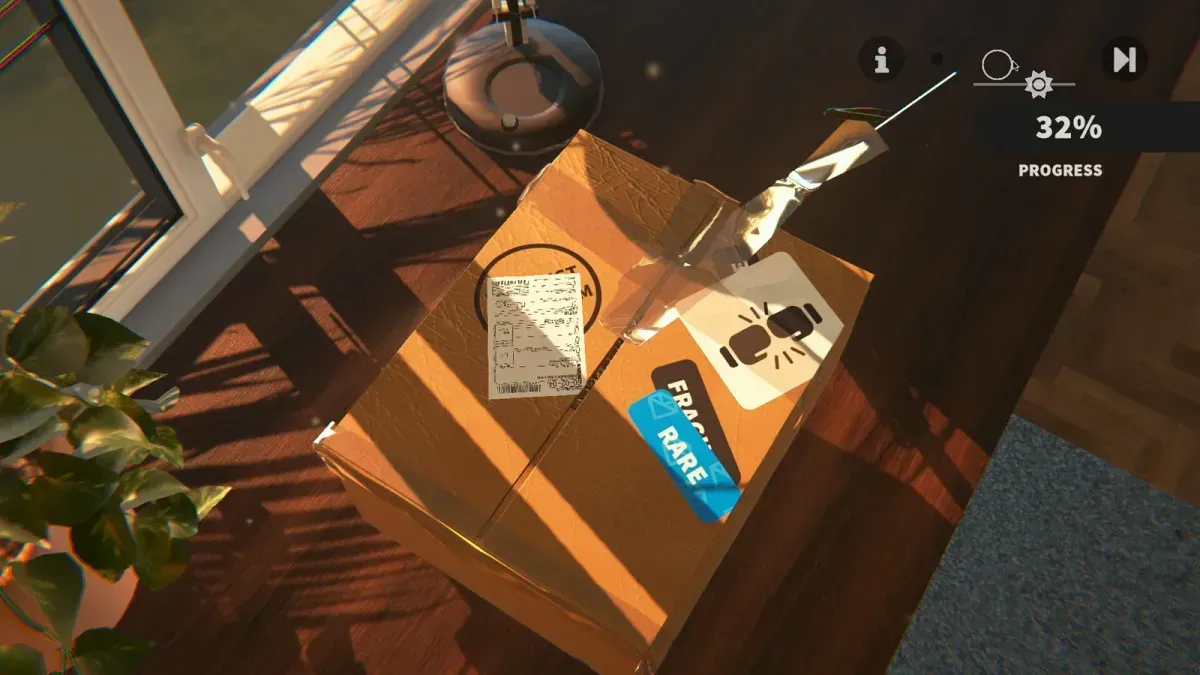
What are the foam peanuts for?
They are packing material, and that is the whole of their job. Most parcels arrive with the cartridge buried under them, so clearing them is the first physical step after the tape comes off — before you can see what you bought, let alone clean it.
They are not a collectible and they do not feed any quest. The only decision they carry is what you do with them, and the answer is a small amount of money rather than nothing.
What does the bin actually do?
The bin beside the desk is a disposal point with a personality: the patch notes call it the Bin-osaur, and it makes eating noises when it swallows packing peanuts. It takes peeled stickers and peanut waste, and that is the extent of its job.
It is not a general delete button for empty boxes or unwanted furniture. Clicking it while carrying nothing appears to do nothing at all, which is the form the question takes on the Steam forums — the bin is for the waste the game recognises, not for whatever happens to be on the desk.
Are the peanuts worth money?
Yes, a little. Players report that binning them pays a small credit each, and that the alternative — burning them off with the heat gun — pays less. The game does not print a per-peanut rate anywhere, so treat the amount as pocket change rather than income, and do not build a session around it.
The reason it is worth mentioning at all is that the two routes have different costs. The bin needs the tweezers and a drag per peanut; the heat gun is faster but destroys the value. On a big parcel of peanuts, the bin is the better habit if you are already holding the tweezers.
Why do I keep picking up peanuts instead of the sticker?
Because of a known bug in the tweezer interaction: clicking selects whatever is under the cursor rather than the object you meant to grab, so peanuts get picked up while you are aiming at a sticker edge. It is on the launch-week issue list and not yet fixed.
What helps in the meantime:
- Zoom in before you grab. Some players report that the selection radius feels tighter relative to the cartridge when zoomed, which makes the intended target the obvious one. Others have found the cursor keeps its relative size as you zoom, so treat it as worth a try rather than a fix.
- Clear the peanuts first, then work the sticker. Removing the clutter removes the thing the tweezers keep finding instead.
- Expect to repick. A dropped sticker lands on the desk and can be picked up again — see stickers and labels for the peel order.
In what order should I clear a parcel?
Four steps, and the order saves the most time:
- Peel the tape. Tweezers at a corner, worked along the seam.
- Lift the cartridge out and put it on the desk mat.
- Bin the peanuts while you are still holding the tweezers.
- Start the clean with a UV torch sweep of the cartridge — the restoration workflow has the full sequence.
Skipping step three is the common slowdown: peanuts left on the desk sit between your camera and the cartridge for the rest of the clean, and they are what the tweezers keep grabbing.
Do they affect the resale value?
No. Packing is not part of the cartridge’s condition, and a cart that arrived in a box of peanuts grades exactly the same as one that did not. The numbers that matter are on the cartridge, not on the packaging — money and selling explains what moves a price, and the first hour walkthrough shows the parcel loop end to end.
Related Articles
guides
Autocomplete Not Working at 99 Percent in Cozy Game Restoration
Autocomplete fires only when every layer passes 99 percent, so one bar at 98 keeps the cartridge open. How to find the layer that is holding it back.
guides
Adhesive Not Spawning on Discs: Cozy Game Restoration Bug
Disc cartridges could refuse to spawn sticker adhesive, leaving the ink bar unfillable. Fixed in Patch 1 and live again since 7 November.
guides
How to Change the Language in Cozy Game Restoration
The game picks a language on first boot and the gear icon reopens the list. The full set, plus why Russian was missing and when it returned.
Was this helpful?
Thanks for the feedback!