Cozy Game Restoration Demo vs Full Game: What Is Different
What the free Cozy Game Restoration demo includes, what the full game adds, and why your demo save does not carry over at launch.
What is in the demo?
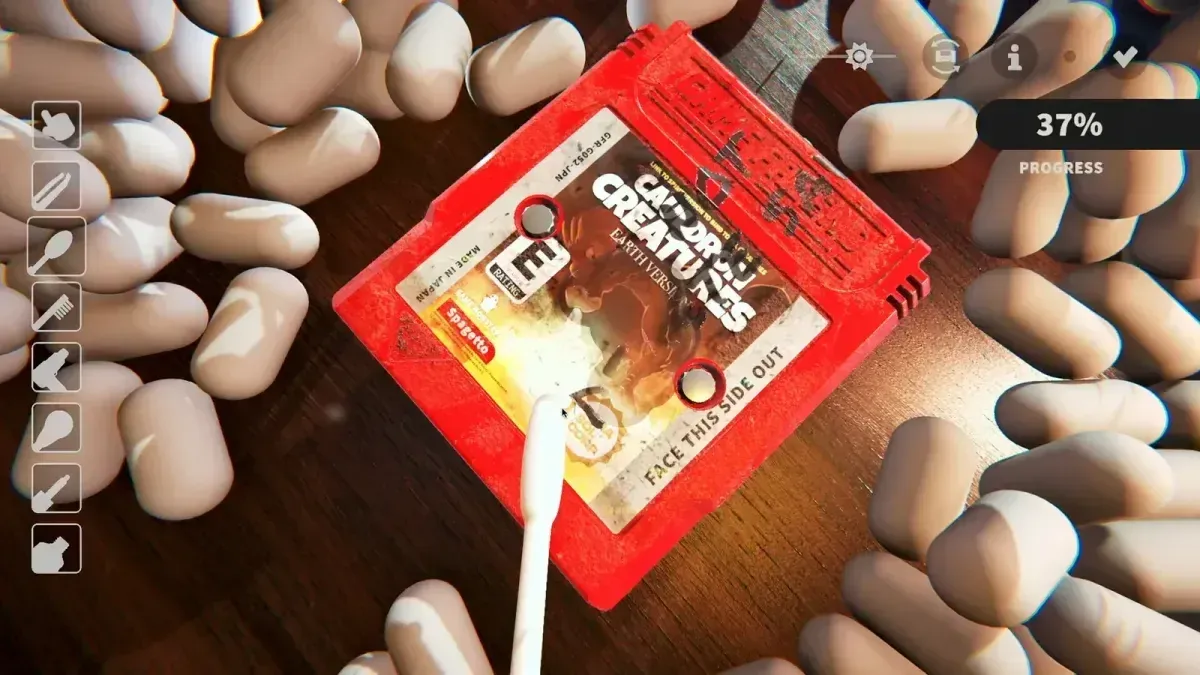
The demo is Steam app 4742270, first published on 4 June 2026 for Steam Next Fest; its final build went live on 1 October 2026. It is a content-limited slice of the game rather than a separate build. It contains:
- Seven cartridges to unwrap, clean and display
- A day limit on the demo run — the developer describes “only around for 3 days” in the demo
- The full tutorial, now split into a cleaning half and a collection-room half
- The collection room with furniture placement and decorations
- The shelf bonus system, so genre-based tool bonuses are already visible
- The early-game cleaning tools shown in the demo, including the UV torch and the hair dryer
- Localisation for the Tier 1 language list, still being patched through mid-October
Upgrades are deliberately gated in the demo: they are priced at $9,999 so you cannot sink demo money into them instead of buying parcels. That is a demo-only block, not the live economy.
What does the full game add?
| Demo | Full game | |
|---|---|---|
| Cartridge titles | 7 available | 108 distinct titles |
| Regional variants | Yes (PAL/NTSC) | Yes, every title |
| Day limit | Yes | No |
| Quests | Sample set | Full set (roughly 300) |
| Collection room | Yes, limited decorations | Full decoration set |
| Upgrades | Locked at $9,999 | Purchasable |
| Save carry-over | — | No, demo saves reset |
The launch build keeps the same core loop. Nothing about the interface or the tool handling changes at launch; the difference is volume — more titles, more rarity spread, more quests, more room furniture.
Does demo progress carry over?
No. The developer has said he will reset saves in the full game, and the reason is fair: the demo hands you mid-to-late-game rarity carts so the sample feels interesting, which would let a demo player skip the early collection. A fresh start keeps the rarity curve intact for everyone.
What does transfer is your knowledge: the layer order, the tool that opens each layer, how the UV torch reads dirt, and how the shelf bonuses stack. That is most of the learning curve.
Is the demo enough to judge the game?
For the moment-to-moment feel, yes. Cleaning is the whole product, and seven cartridges show you dust, ink, discoloration, stickers and scratches with the tools that remove them. See damage types for that layer list.
What the demo cannot show you is the long tail: whether collecting 108 titles keeps its pull, and whether the quest set keeps generating reasons to reorganise the room. That is a launch question, and the reason the collection overview is worth reading before release.
Which should I play first?
Play the demo before launch if you have not. It costs nothing, it teaches the tutorial without the pressure of a real save, and it tells you whether the tactile cleaning loop is for you. Then start clean on 4 November.
Check the release date and unlock time if you are timing your first session, and the price and platforms page for the store details.
Related Articles
guides
Cozy Game Restoration Beginner Guide: First Hour
How the Cozy Game Restoration loop works, in order: unwrap parcels, read the grime layers, clean them off, shelf the cart, finish quests.
guides
Cozy Game Restoration Collection Room and Shelf Bonuses
How the Cozy Game Restoration collection room works: furniture placement, quest decorations, and shelf bonuses that change tool power and discounts.
guides
Cozy Game Restoration Damage Types and What Removes Them
The five grime layers in Cozy Game Restoration — dust, ink, discoloration, stickers, scratches — plus shell damage and regional cart differences.
Was this helpful?
Thanks for the feedback!