Cozy Game Restoration Collection Room and Shelf Bonuses
How the Cozy Game Restoration collection room works: furniture placement, quest decorations, and shelf bonuses that change tool power and discounts.
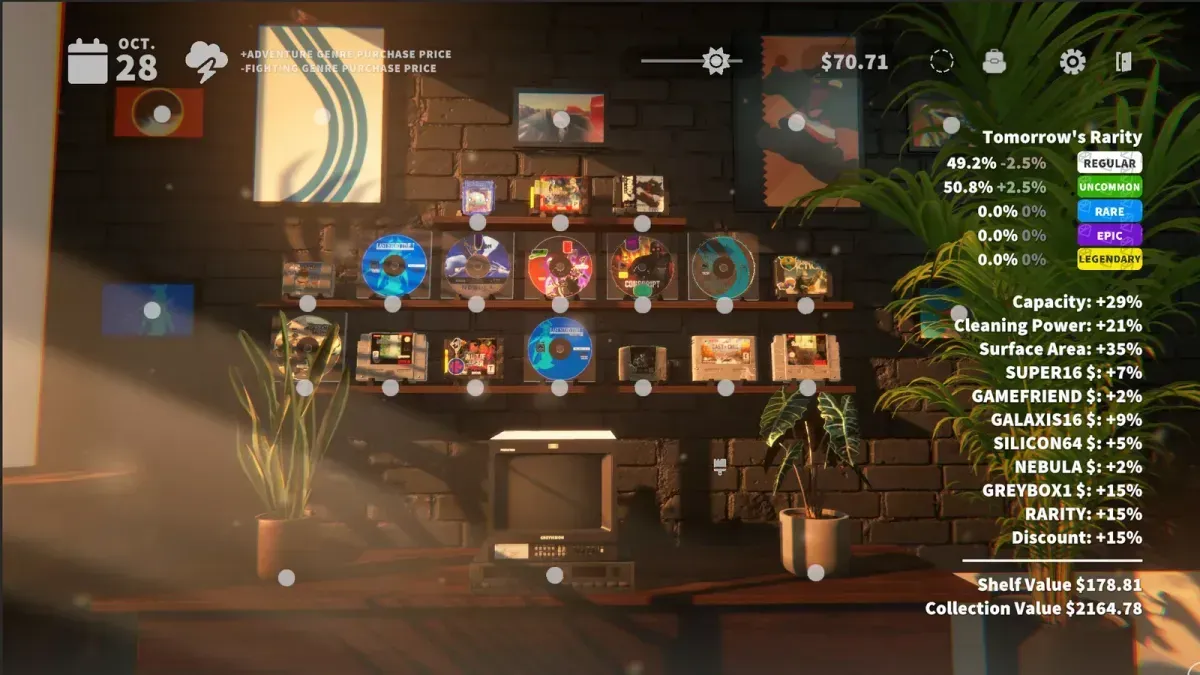
What does the collection room actually do?
Three jobs, and only one of them is decoration.
- Stores your collection as display objects, not inventory entries.
- Grants shelf bonuses — games on the shelf influence cleaning power and tool properties, and the shelf system also feeds economy and discounts.
- Displays quest rewards — decorations and cosmetics earned from completed quests.
The developer compares the bonus system to swapping wheels, bodies and wings in a kart racer: the same cleaning tool behaves differently depending on what you have displayed, and the effect is strong enough that stacking several high-rarity carts of one genre noticeably increases how much dirt you clear before needing to clean the tool.
How do shelf bonuses work?
Every shelved cart contributes. Genre and rarity are the two levers the developer has described: stacking multiple high-rarity puzzle carts, for example, pushes the surface-area property up, and the shelf bonus system additionally touches economy and discounts.
The panel in the corner of the room is the actual readout. In the official store screenshots it lists capacity, cleaning power and surface area as percentages, then price bonuses per platform family (SUPER16, GAMEFRIEND, GALAXIS16, SILICON64, NEBULA, GREYBOX1), then rarity and discount, and finally total shelf value and collection value. If a number there is not moving, the cart you just shelved is not contributing.
Practical consequences:
- Group by genre instead of spreading your best carts around the room. A wall of one genre outperforms a scattered mix.
- Rarity beats completeness. A high-rarity duplicate in the right genre is worth shelving over a common in a genre you already covered.
- Check the shelf unlock list. Unlocks are visible in the final demo, so you can plan which slots to open next.
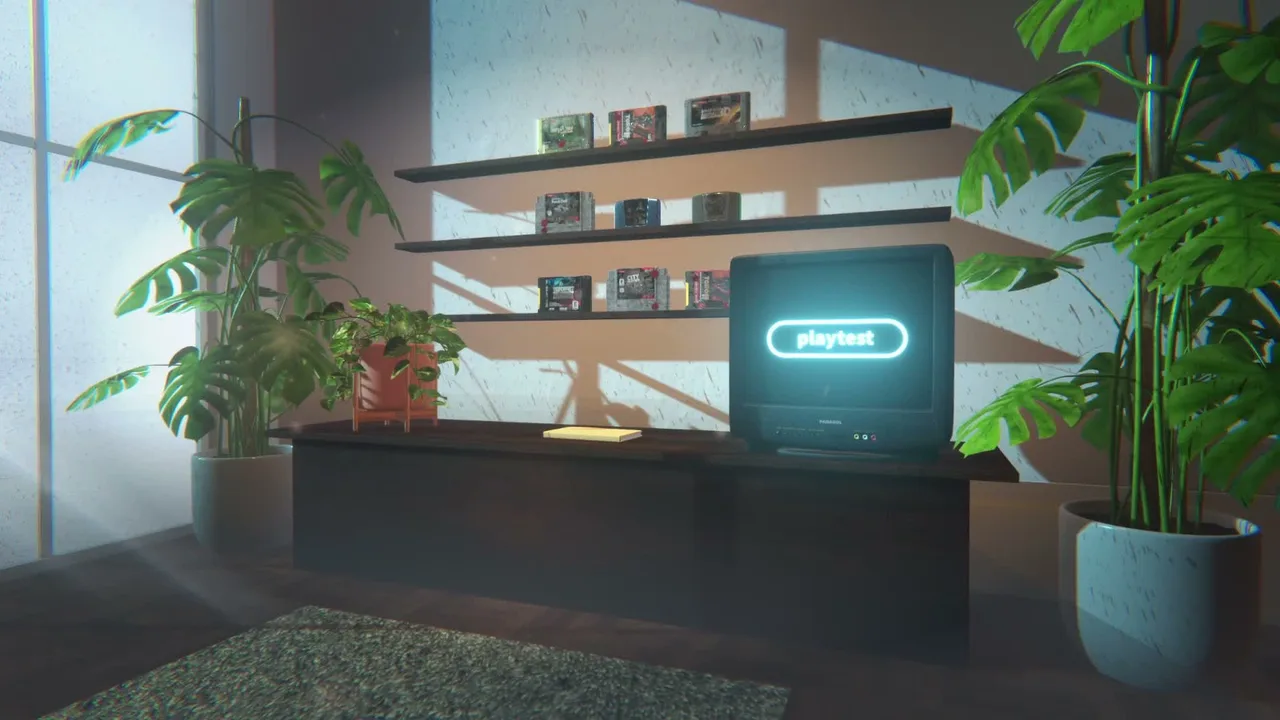
The room as a whole is the loadout: shelves, plants and decor all sit in the same space. Official game imagery © Parasol Corp.
How do I furnish the room?
Decorations come from quest gifts, and you place them yourself. Furniture placement was reworked in the 4 October demo patch after players found ways to put games on walls and plants on shelves — the current build is the fixed placement model, so expect furniture to snap to sensible slots.
The demo also ships a popup at the end of the collection-room tutorial explaining how the room works. Finish that half of the tutorial: the cleaning half does not cover shelf bonuses, and the room is the part new players most often skip.
What should a new room look like?
A sensible first layout, all of it available in the demo:
- One shelf dedicated to your strongest genre, filled with the highest-rarity carts you own.
- One shelf for display pieces — gold shells, rare variants, favourites.
- Decorations kept clear of the shelves you use most, so the display still reads at a glance.
- Nothing bought until the shelf slots you actually need are unlocked.
Does the room change the cleaning game?
Yes, that is the point. Shelf bonuses mean the room is a loadout: it decides how much dirt your tools remove, what you earn, and what you pay. In practice that means two rooms with identical carts can produce different cleaning power, depending on how the shelf is arranged.
For the tool side of that equation see cleaning tools; for the quests that fund the furniture see quests and rewards; for the rarity tiers worth displaying see cartridge collection.
Is any of this time-limited?
No. There is no timer and no fail state, and the room persists between sessions. Calendar quests ask for specific carts on specific in-game dates, but nothing decays if you leave the room alone for a week — see quests and rewards for how those dates work.
Related Articles
guides
Cozy Game Restoration Beginner Guide: First Hour
How the Cozy Game Restoration loop works, in order: unwrap parcels, read the grime layers, clean them off, shelf the cart, finish quests.
guides
Cozy Game Restoration Cleaning Tools and Hotkeys
The tools confirmed in Cozy Game Restoration: UV torch, hair dryer and the cleaning tools that need cleaning, plus hotkeys and toggle settings.
guides
Cozy Game Restoration Damage Types and What Removes Them
The five grime layers in Cozy Game Restoration — dust, ink, discoloration, stickers, scratches — plus shell damage and regional cart differences.
Was this helpful?
Thanks for the feedback!