Autocomplete Not Working at 99 Percent in Cozy Game Restoration
Autocomplete fires only when every layer passes 99 percent, so one bar at 98 keeps the cartridge open. How to find the layer that is holding it back.
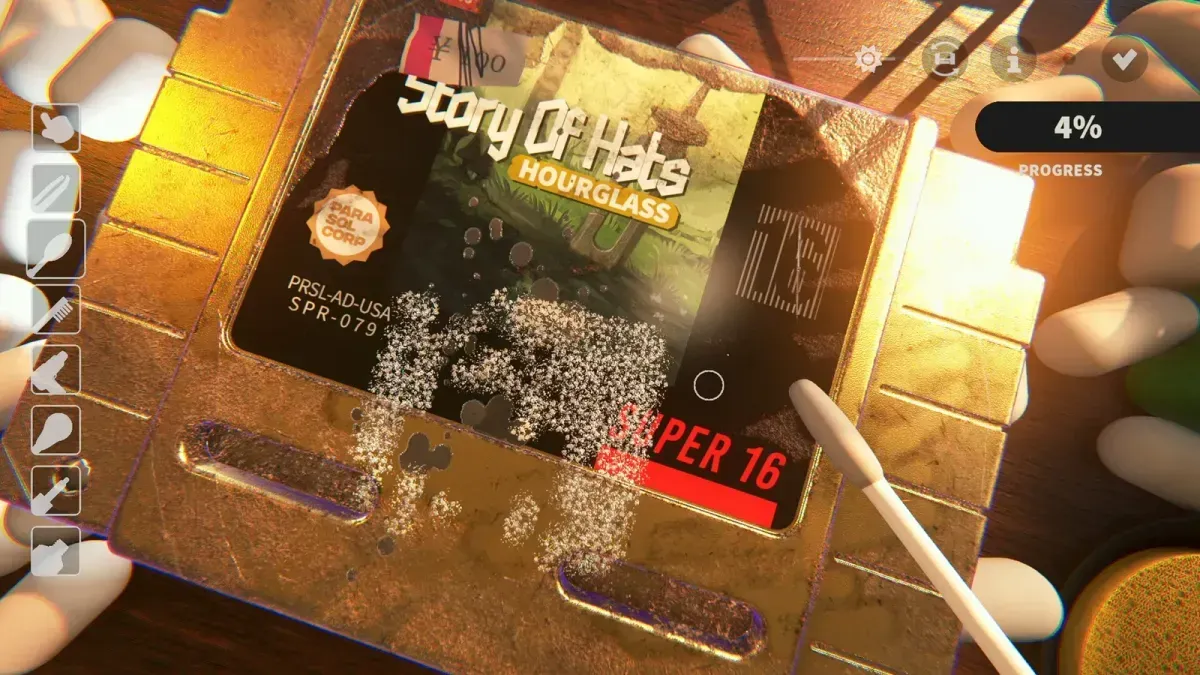
Why is autocomplete not finishing my cartridge?
Because it is not looking at the cartridge, it is looking at four separate counters. Autocomplete fires when dirt, ink, scratches and stickers are each at 99 percent or higher. Three of them sitting at 100 with one at 96.5 leaves the game waiting, and the finish screen shows exactly that.
The rule replaced an older version that triggered at a 99.5 percent average across all layers. An average lets one strong layer cover for a weak one, so a cart could pass while still keeping a patch of dirt the player could see. Per-layer thresholds were the fix, and they are why the current behaviour feels stricter than what you may have read about the demo.
Which layer is normally the one holding it back?
Scratches, most of the time, then the dirt layer — including plastic that has discoloured — then adhesive on disc cartridges.
| Layer | Why it gets missed |
|---|---|
| Scratches | Nearly invisible until they catch the light; only polish touches them |
| Dirt | Fine grit left in a groove after the surface reads clean, and yellowed plastic with no mark to chase |
| Adhesive on discs | Glue that never spawned after a sticker came off; fixed in Patch 1 |
| Stickers | A torn corner of paper, not glue, sitting under the label edge |
The pattern behind that table is that every one of these is a target you cannot see well at the default zoom. The layer you are hunting is the one the camera is currently hiding.
How do I find the last percent?
Four passes, in this order:
- UV torch sweep. It leaves a glowing trail on grime you have cleaned past, and the glow is the only reliable map of what is left.
- Toothbrush on every groove. The swab covers flat shell and skips channels; on a deep-groove shell, wiping alone can leave the dirt layer short of 99 no matter how many passes you make.
- Polish on the whole face. Scratches are spread rather than concentrated, so one pass over one scratch is not enough. Work the full surface.
- Check the back label. The reverse side is a separate area of dirt and it is the classic answer to “the front is spotless and it still will not finish”.
If you are still short after that, the restoration workflow has the layer order written out, and damage types explains what discoloration actually is so you stop looking for a mark that does not exist.
Is autocomplete even switched on?
Check the Accessibility section of the options menu. It is a toggle, not a permanent feature, and turning it off is a reasonable choice for players who want the last percent to be their own work — but it also means nothing finishes the cartridge for you at the end.
If the toggle is on and the bars are all past 99, the next suspect is the build. The per-layer rule arrived in the October demo patch and carried into release; a build from before that patch averages the layers instead.
When is it not something you can clean?
Two cases where waiting will not help. Disc cartridges hit the adhesive bug, where the glue never appears so the ink bar can never be filled — that is covered on adhesive not spawning on discs. And some grime renders where no tool reaches, which is a shell-geometry problem rather than a skill problem: cracked shells and deep grooves explains which shapes cause it and why tool power is the lever.
Related Articles
guides
Adhesive Not Spawning on Discs: Cozy Game Restoration Bug
Disc cartridges could refuse to spawn sticker adhesive, leaving the ink bar unfillable. Fixed in Patch 1 and live again since 7 November.
guides
How to Change the Language in Cozy Game Restoration
The game picks a language on first boot and the gear icon reopens the list. The full set, plus why Russian was missing and when it returned.
guides
Packing Peanuts and the Bin in Cozy Game Restoration
The bin eats peanuts and stickers, peanuts are worth a little money, and the tweezers keep grabbing them by accident. What the desk clutter is for.
Was this helpful?
Thanks for the feedback!