Adhesive Not Spawning on Discs: Cozy Game Restoration Bug
Disc cartridges could refuse to spawn sticker adhesive, leaving the ink bar unfillable. Fixed in Patch 1 and live again since 7 November.
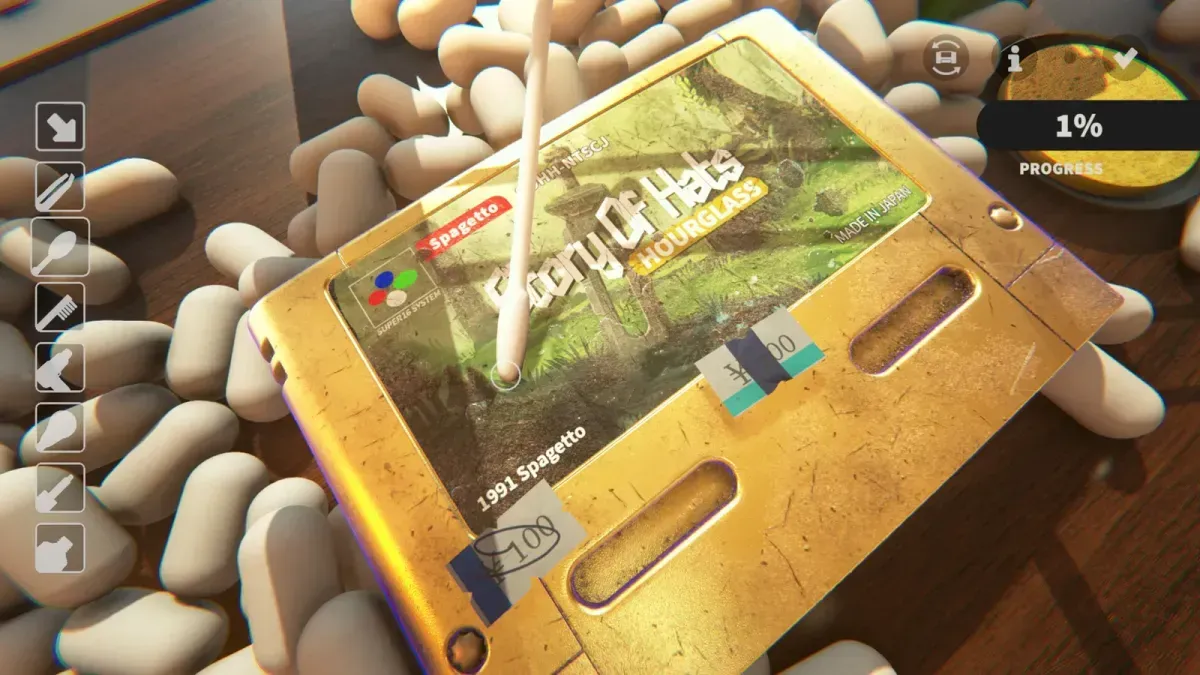
Why is the ink and adhesive bar stuck on a disc cartridge?
Because the glue never appeared. On a disc cartridge, peeling a sticker was supposed to leave a patch of adhesive that the solvent and swab then remove — and on the affected carts nothing spawned, so there was no residue to clean and the layer could not reach its threshold.
That is a different failure from stubborn residue. If you can see a smear and the bar will not move, the problem is tool power or drying; if the label is visibly clean the instant the sticker lifts and the bar is still short, you are looking at this bug.
Which cartridges are affected?
The disc-format ones — the CD-style games in the collection rather than the shell cartridges. On shells the adhesive spawns correctly and the normal peel-and-solvent routine applies.
The developer’s own diagnosis pointed at a mask not triggering, which is why it hit one cartridge shape and not the other: the layer was being suppressed rather than the tool failing to work. Nothing you do with solvent, heat or the UV torch changes that, because the layer is absent rather than dirty.
Is it fixed?
Yes, and the fix is in the build you can install. Patch 1 on 6 November listed “adhesive not spawning on discs when removing stickers” as fixed. That patch was pulled roughly twelve hours later because Microsoft Smart App Control was blocking the game from launching on Windows 11, and it returned at 08:01 UTC on 7 November.
If a disc cartridge still shows the symptom on a fully updated client, restart Steam so any queued update lands before you assume the bug survived. A build taken before 7 November is the usual explanation, and the language menu is a quick check: Russian arrived in the same patch, so a Russian option means you have the disc fix too — how to change the language shows where the menu lives.
What do I do with a disc I already started?
Test it on the affected cart first. Reload the save on the updated build and check the label where the sticker came off: if a patch of adhesive has appeared, the layer is back and the normal solvent routine finishes the cartridge. If the label is still bare, the fix has not applied to that cartridge — peel a fresh sticker elsewhere on it and see whether glue appears under that one before deciding whether to finish or shelve it.
For carts you left half-done on the old build, the order that works:
- Update, then reload the save. Confirm the game is the current build before touching the cartridge.
- Peel any remaining sticker and watch the label. Glue should appear under it shortly after; if it does, the fix is active on that cart.
- Work the adhesive with solvent and swab, then dry for a full pass. The routine is on ink and adhesive.
- Leave the cartridge if the bar still stalls. Scrubbing a label with no glue on it only risks the print.
Autocomplete will not rescue a layer that never existed, but it does finish a layer sitting at 99 percent — the mechanics are on autocomplete not working.
Is this the same as residue that will not come off?
No, and the difference matters for what you try next. Residue that exists but resists is a solvent-and-heat problem: apply, work, dry for a full pass, then check under the UV torch. That routine is on ink and adhesive and it works on shells.
The disc bug is the opposite case — no residue at all. If you spent the first week treating it as stubborn glue and burning twenty minutes a cartridge, the change is to stop treating it as a skill problem.
Which build has the fix?
Any build from 7 November onwards. The patch shipped on the 6th, was withdrawn that evening, and came back the next morning, so the version string is not a reliable tell — the language menu and the presence of glue under a peeled sticker are. The build history is on patch notes and update history, and the patch itself on Patch 1.
Related Articles
guides
Autocomplete Not Working at 99 Percent in Cozy Game Restoration
Autocomplete fires only when every layer passes 99 percent, so one bar at 98 keeps the cartridge open. How to find the layer that is holding it back.
guides
How to Change the Language in Cozy Game Restoration
The game picks a language on first boot and the gear icon reopens the list. The full set, plus why Russian was missing and when it returned.
guides
Packing Peanuts and the Bin in Cozy Game Restoration
The bin eats peanuts and stickers, peanuts are worth a little money, and the tweezers keep grabbing them by accident. What the desk clutter is for.
Was this helpful?
Thanks for the feedback!