Heat Gun Step Won't Complete: Cozy Game Restoration Fix
The tutorial's dry-the-solvent step needs a five-second heat gun pass in order. Here is why it fails to tick, what to change, and how to skip it safely.
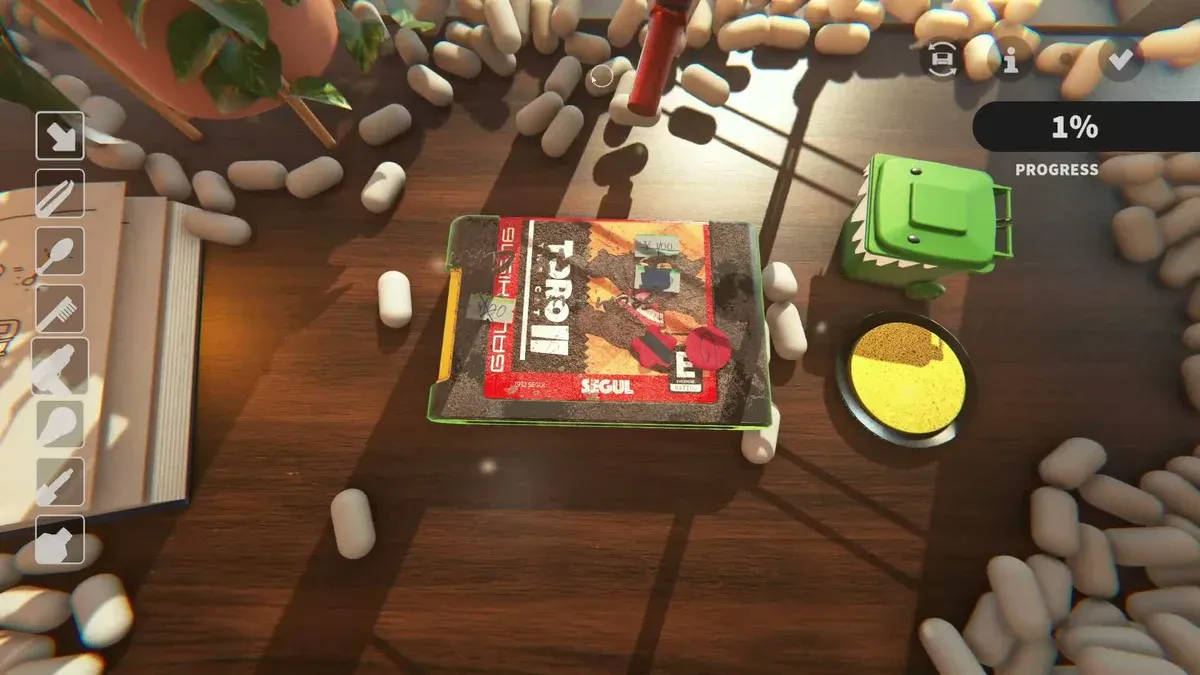
Why won’t the heat gun objective tick?
Because the game times the pass. The gun runs a five-second check: use it for less than that and the timer never starts, so the tutorial reads it as no action at all. A burst that visibly dries the surface can still register as nothing.
That single detail is why the step looks broken. The animation plays, the solvent looks dry, and the objective sits there.
What should I do about it?
Three changes fix it in most cases.
- Hold the gun still for a full five seconds. Keep it on the wet patch and count — not two seconds, not “until it looks dry”.
- Re-press to restart the timer. If you lift early, the timer aborts; pressing again starts a fresh five seconds rather than resuming.
- Do the steps in order. Solvent first, then heat. The tutorial’s events fire in sequence, and drying a patch you never solvented can leave the event unfired.
One setting is worth ruling out too. With tap-to-clean on, a held tool may be read as a run of taps rather than one continuous press, which never accumulates five seconds. Turn it off in the options menu and try the step again.
Does the heat gun do anything else?
One real job after the tutorial: it dries solvent on ink and adhesive work, which is required before the layer registers as finished. Because it is timed for the tutorial check, it is also the tool people under-use everywhere else. A one-second wave over solvent is not drying it; the same five-second standard applies to real cleaning, and the layer will sit short until it is done properly. More on that on ink and adhesive.
Can I just skip the step?
Yes, and it is a legitimate option rather than a cheat. Click the tick in the top right of the screen, and the tutorial is marked complete and skipped.
Nothing is lost: the tutorial is a teaching aid, and the mechanic is straightforward once you know the five-second rule.
Is this the same bug as the shelf step?
No, but they get confused because both happen at the end of the first cartridge. The shelf step uses a different interaction: the tutorial says to drag a game onto a shelf, while the shelf actually accepts a click on a node followed by selecting the cart.
If the shelf objective will not complete, click a shelf node directly, pick the cartridge from the list, and confirm. Dragging at the shelf rather than at the cart is the usual failure, and the drag wording in the tutorial is what sends people the wrong way.
Will this be fixed?
The timer may be shortened to three seconds in a later patch, which would make the step more forgiving. Until then, five seconds is the safe number.
If the tutorial is behind you and a cartridge still will not finish, the problem is different — start with Toro the Cat 2 stuck near 100%, and for the wider clean order see restoration workflow. The tool-by-tool detail lives on cleaning tools.
Related Articles
guides
Autocomplete Not Working at 99 Percent in Cozy Game Restoration
Autocomplete fires only when every layer passes 99 percent, so one bar at 98 keeps the cartridge open. How to find the layer that is holding it back.
guides
Adhesive Not Spawning on Discs: Cozy Game Restoration Bug
Disc cartridges could refuse to spawn sticker adhesive, leaving the ink bar unfillable. Fixed in Patch 1 and live again since 7 November.
guides
How to Change the Language in Cozy Game Restoration
The game picks a language on first boot and the gear icon reopens the list. The full set, plus why Russian was missing and when it returned.
Was this helpful?
Thanks for the feedback!